Save searches and set buy-box alerts
Save filters, enable new-match alerts and choose email delivery.
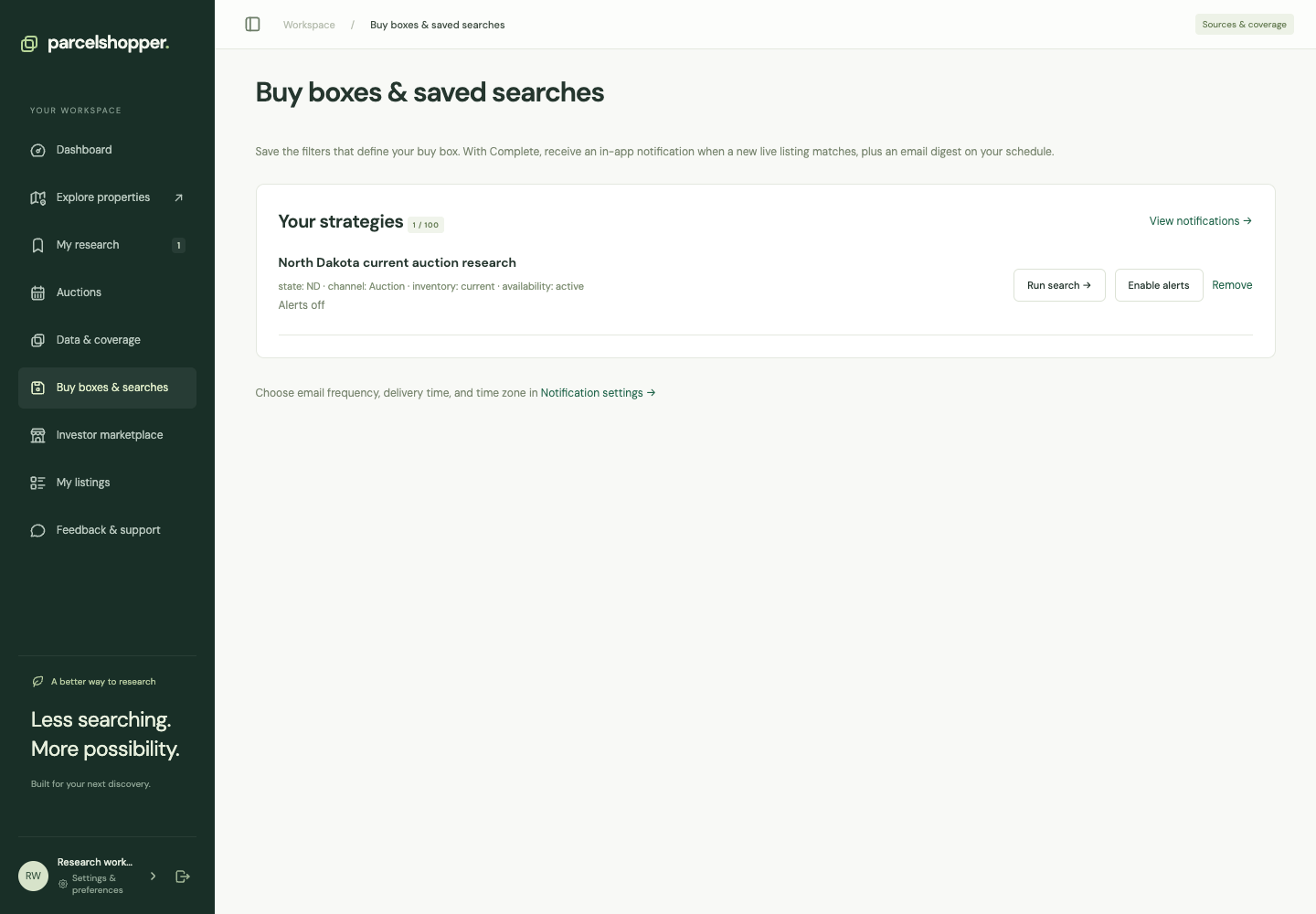
A saved search reruns your filters. On eligible plans, you can also enable a buy-box alert to receive new live matches in Notifications.
Demonstration account, November 8, 2026. Check your account for plan allowances.
Save a search
- Set filters in Explore.
- Choose Save search and enter a name, such as the state, route and size range.
- Open Buy boxes & searches.
- Choose Run search to see current matches.
The saved criteria are rerun against the catalog; they do not preserve a fixed set of properties.
Turn on alerts
Choose Enable alerts on the saved search if your plan supports them. Existing matches become the baseline, and later new live matches can generate notifications. Pause alerts stops the alerts while keeping the search.
Open each match and check its official source and status before acting on it.
Choose email delivery
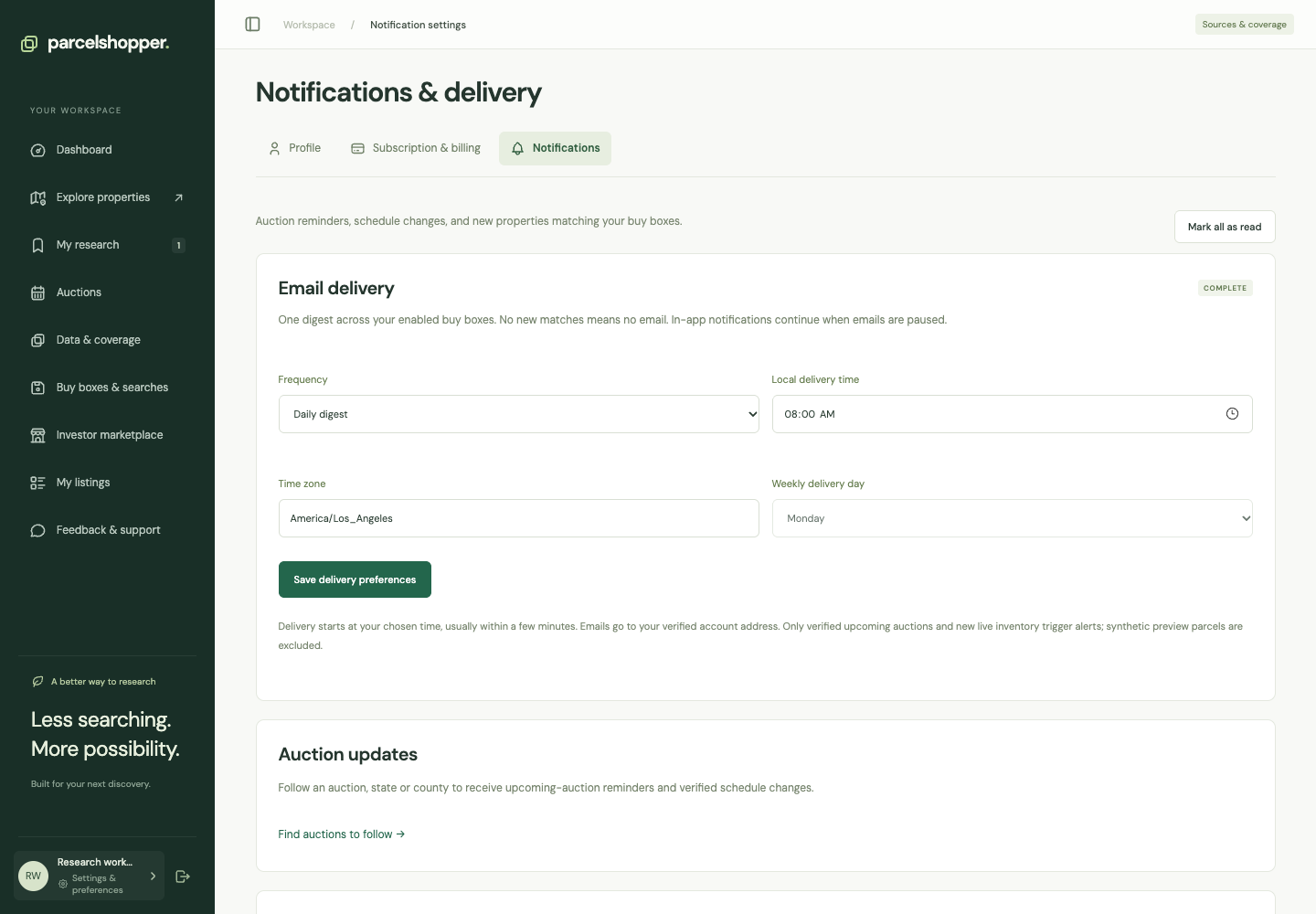
In Notifications & delivery, choose daily or weekly email, local delivery time and time zone. Weekly delivery also requires a day. Verify your account email to receive messages.
Pause email stops digests while keeping in-app notifications. These settings apply to enabled buy boxes and auction follows with email selected. They do not register you with an auction organizer.
Delete searches you no longer use, or narrow criteria that produce too many irrelevant matches. Check your plan when the saved-search allowance is full.
Use auction follows for sale dates and property notes for individual research.



Discussion