Use the auction calendar and follow counties
Find sale dates and property lists, then follow an auction, county or state.
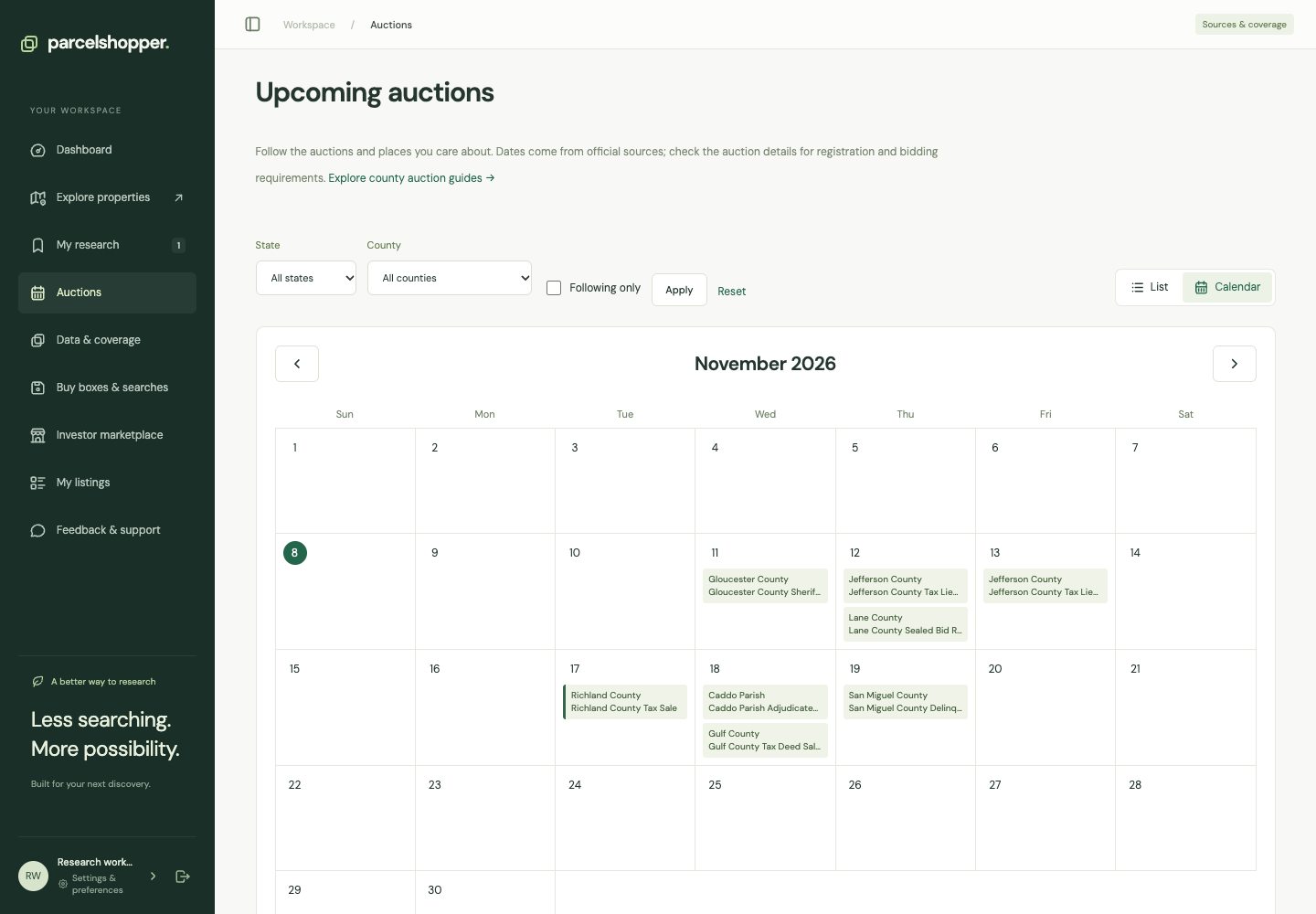
Open Auctions for announced future sale dates. Follow an event, county or state to see relevant auctions on your dashboard and get reminders.
Captured November 8, 2026. Dates and coverage change as sources are checked.
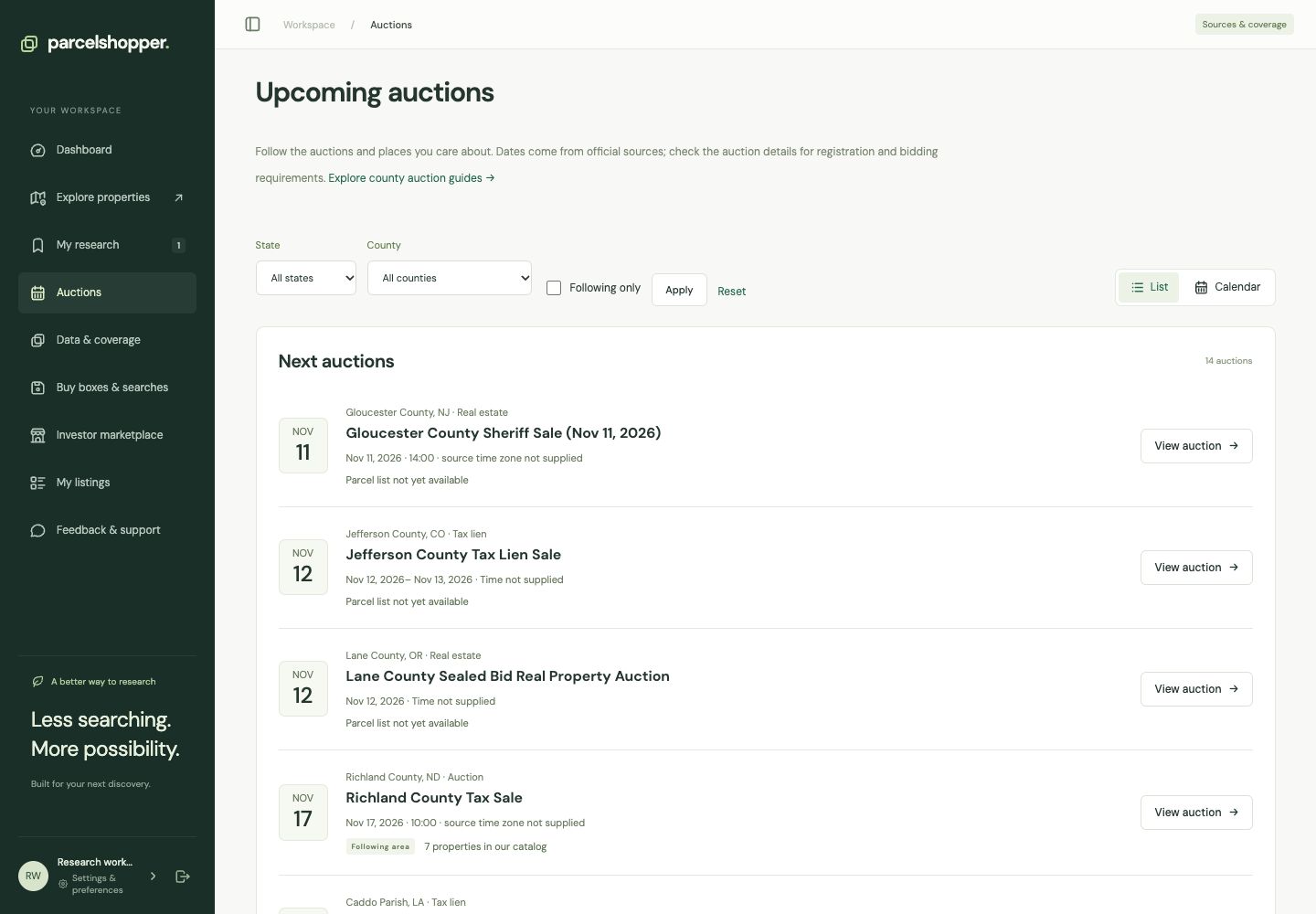
Find an auction
- Open Auctions in the sidebar.
- Filter by state or county.
- Choose List to scan events or Calendar to compare dates within a month.
- Open View auction for its description, schedule, requirements and official source.
Confirm missing times or time zones with the organizer before making plans.
Check the property list
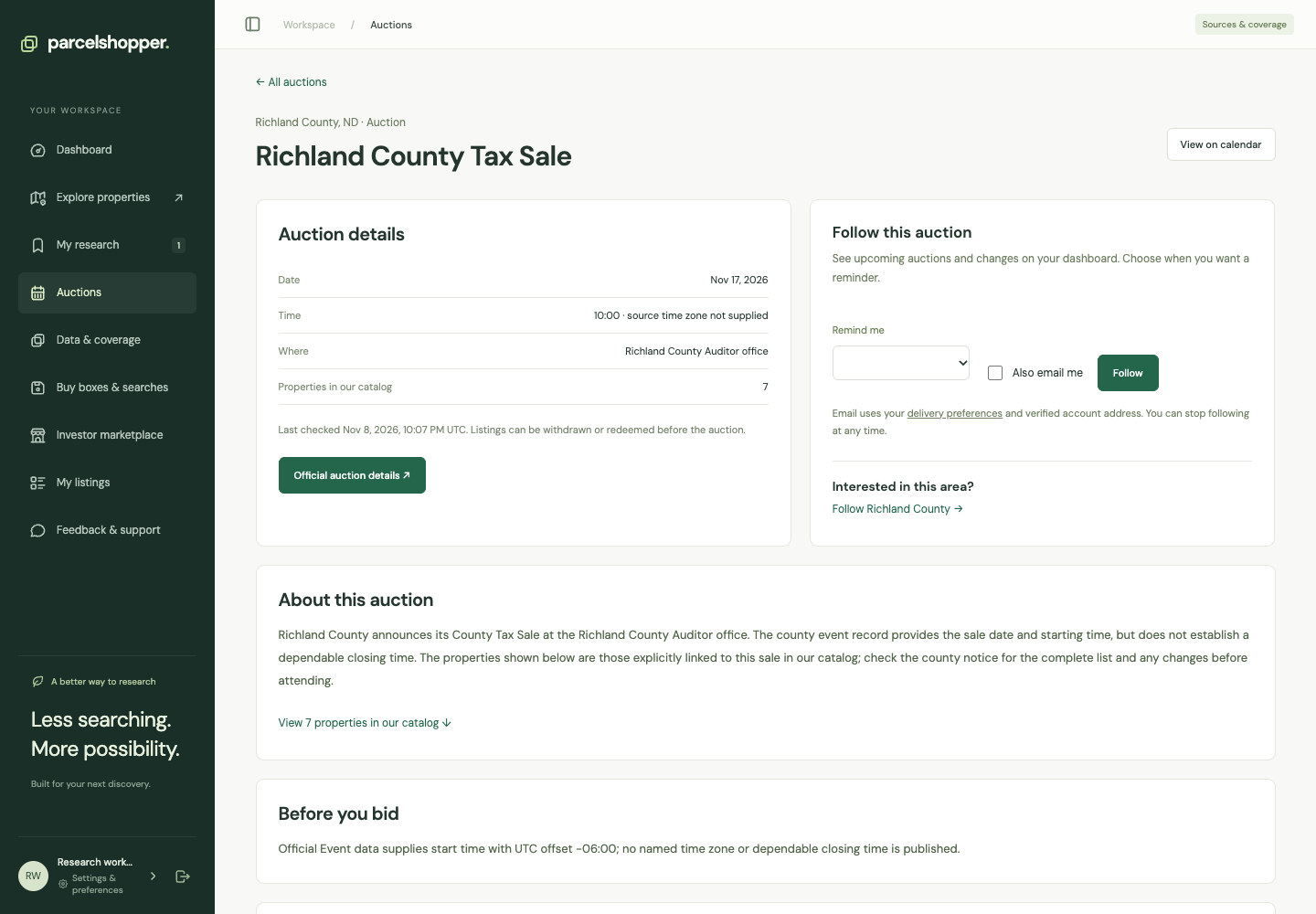
An event may have an official property-list link and properties from our catalog. We show catalog properties only when their membership in that auction has been established; the list may be partial.
If no list appears, it is not available here yet. Check the organizer's source.
Follow an event or area
Use Follow on an event for that auction. On the calendar page, select a state or county to follow the area, even before its next sale is announced. Reminder intervals are 1, 3, 7 or 14 days.
Email starts off. Select Also email me, verify your address and check delivery preferences if you want email. Use Stop following when you no longer want updates.
Verified schedule changes can trigger notices. Failed source checks are not treated as cancellations. Following does not register you to bid or reserve a parcel, so recheck the notice before registration, payment or travel.
For further research, read checking auction lists and the available county guides.




Discussion