Search and filter tax-sale properties
Choose filters, compare cards and table results, and save a search to run again.
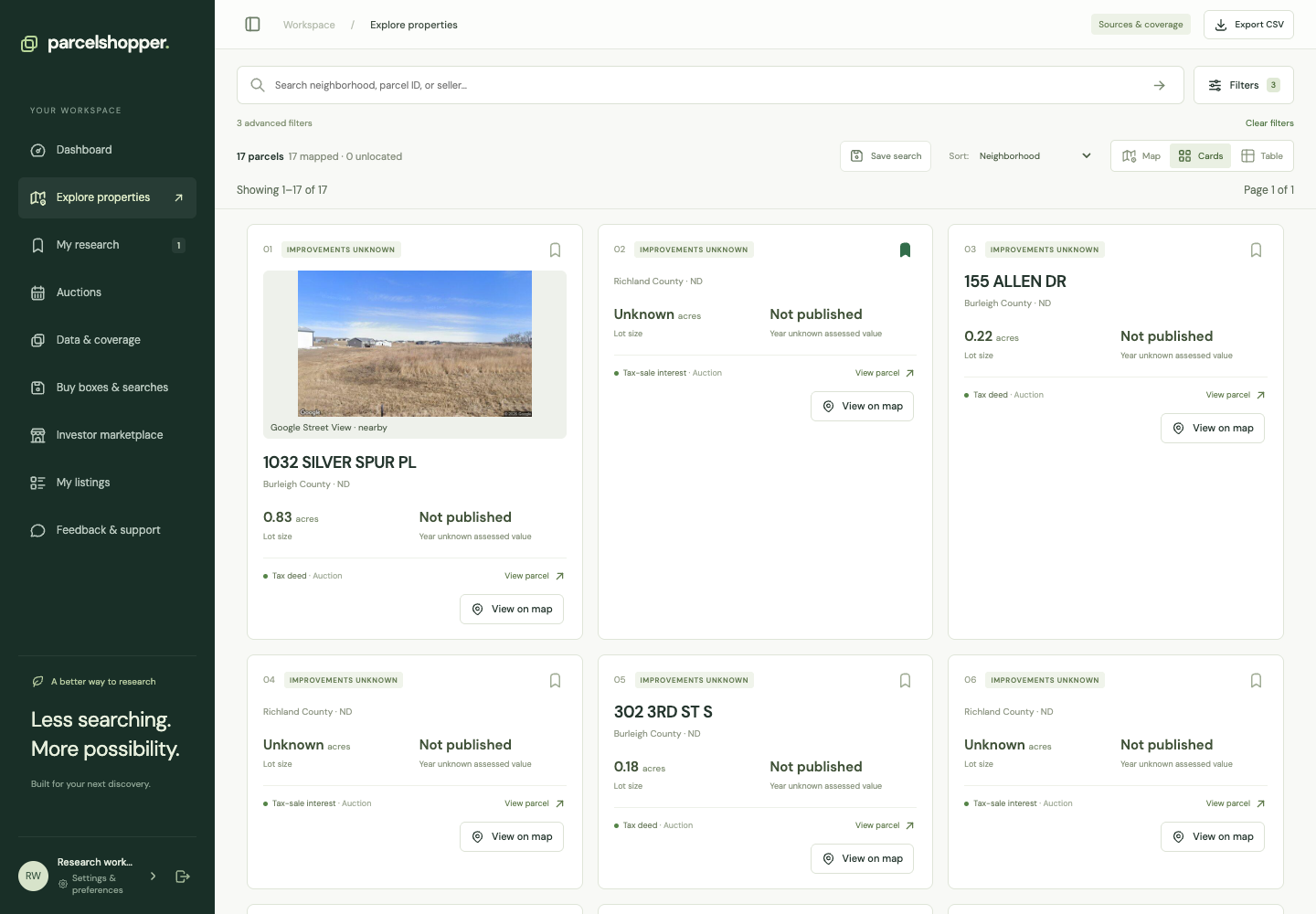
Use Explore to narrow properties by location and purchase route, then review the results as cards, a table or a map.
Demonstration search, November 8, 2026. Displayed properties are not recommendations.
Set your filters
- Open Explore properties.
- Search for a parcel identifier, neighborhood or seller, or choose a state.
- Open Filters and select an instrument and channel.
- Choose current inventory for present opportunities, then check the availability filter.
- Add acreage, assessed value, improvements, location or source-date filters as needed.
- Apply and review the result count.
Instrument is the offered interest, such as a lien or deed. Channel is the purchase route, such as an auction or application.
Choose a view
Cards show a visual summary. The table puts comparable fields side by side. The map shows available locations and boundaries.
Sorting by assessed value orders the assessment data; it does not rank investments. Source-date sorting helps you review older records, but a recent source date alone does not confirm availability.
Find a missing result
Remove filters one at a time. A location filter can exclude a record without a mapped point, and a value filter can exclude one with a missing value. Check Data & coverage for the source's scope.
Run the search again later
Choose Save search and give it a name you will recognize. Reopen it through Buy boxes & searches. The saved-search guide explains rerunning the query and enabling alerts separately.


Discussion