Read a ParcelShopper property report
Check parcel identifiers, purchase routes, amount labels and official sources.
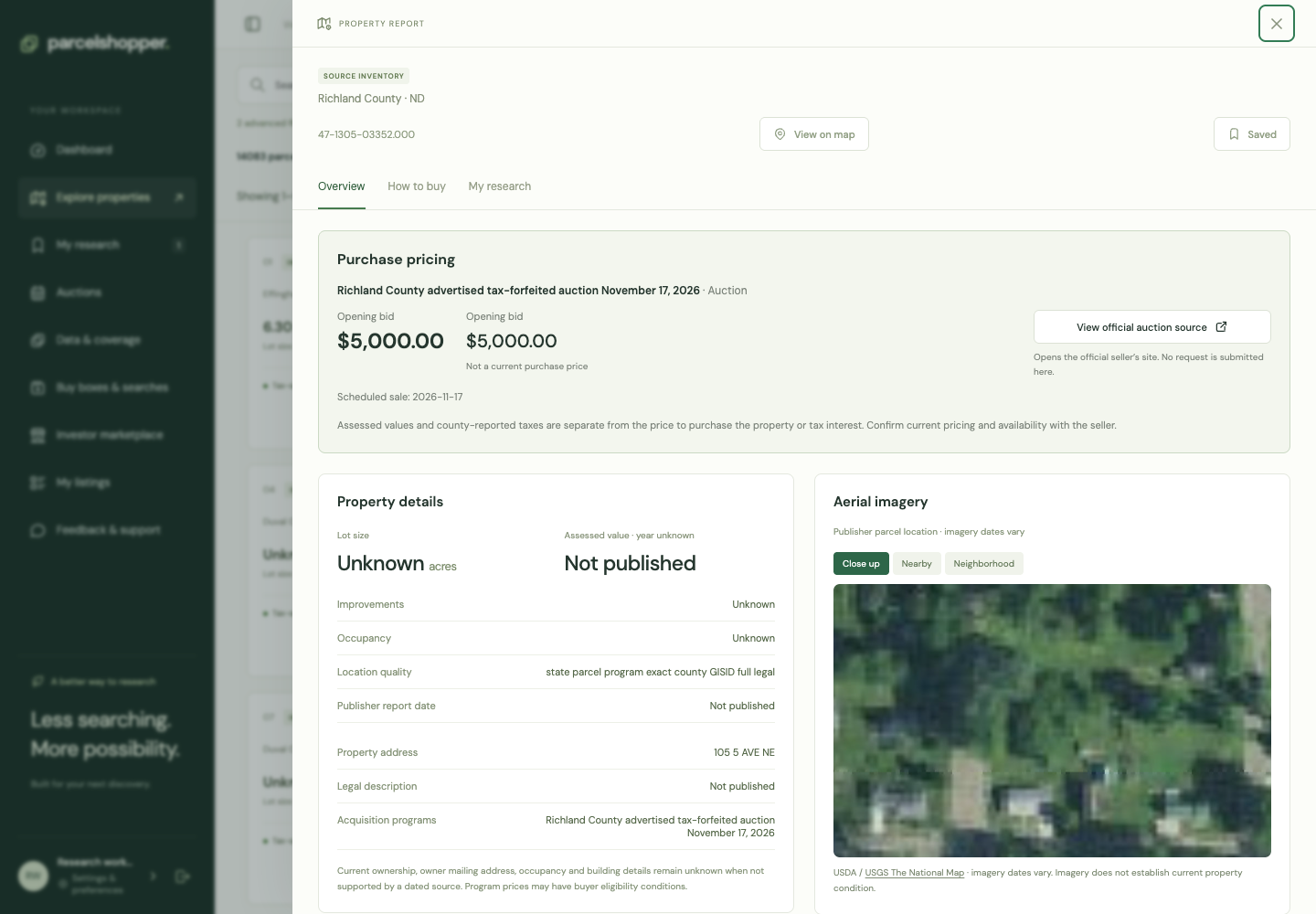
The report puts parcel information, purchase routes and your notes together. Start with Overview to identify the property, then open How to buy for the offered interest and terms.
Demonstration report, November 8, 2026. Available fields vary by source.
Check the identifiers
Open a property from Explore. Compare the state, county, parcel number, address and legal description with the notice and official assessor or GIS record.
Read acreage and valuation labels. Published acreage may differ from mapped area, and assessed value is neither a purchase price nor a current appraisal.
Read How to buy
Each route lists its instrument, channel, seller or program, availability and requirements. A parcel can have several routes with different terms.
Keep asking prices, opening bids, historical amounts and current quotes separate. If the report says Quote required, ask the responsible seller for the amount. Unknown does not mean zero.
Open the sources
The official inventory or purchase link leads to current status and transaction instructions. The GIS or parcel-lookup link helps check identity and location. Review the dates and any qualifications attached to the record.
View on map focuses on the available location. It provides geographic context, not a determination of legal access or title.
Save the next question
Choose Save parcel, then use My research to add a note and stage. Be specific: a current quote, a portion described in the notice or a registration requirement is something you can follow up.
See notes and research stages or the due diligence checklist. The report supports research; a title opinion and current availability confirmation require their own sources.

Discussion