Export property research to CSV
Download filtered results and keep source and amount labels intact in your spreadsheet.
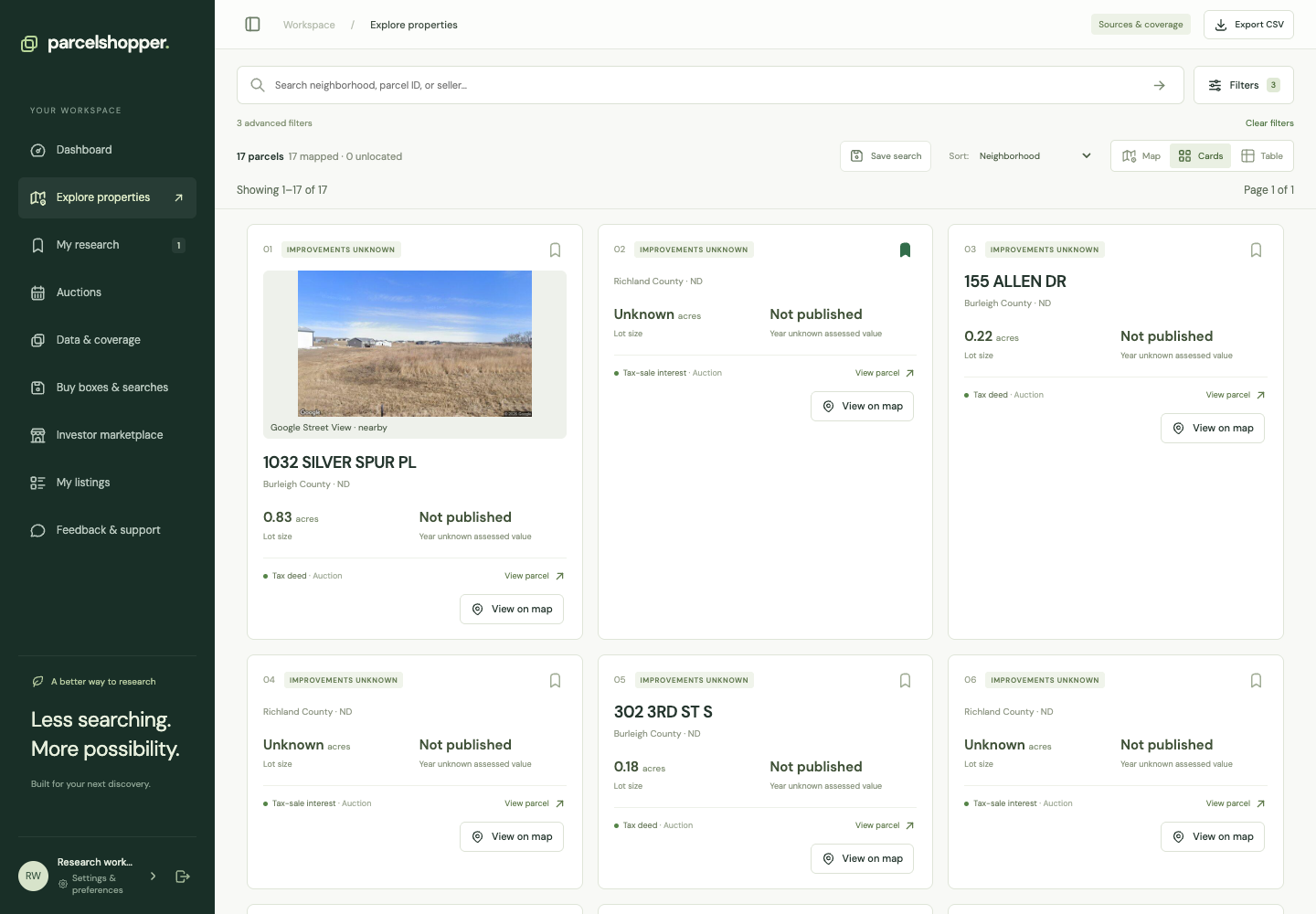
Use CSV export to review matching properties in a spreadsheet. Exports require a paid plan and count against its monthly row allowance. Free trials do not include downloads.
Demonstration search, November 8, 2026. Check your own export allowance before downloading.
Download the results
- Open Explore properties and apply your filters.
- Review and narrow the results if necessary.
- Choose Export CSV in the workspace header.
- Open the file in your spreadsheet and keep its source columns.
If you see Upgrade to export, open Billing & plan. If the selection exceeds your remaining allowance, narrow it or review the plan; do not assume a partial file was created.
Keep the labels
Columns include available parcel identifiers, jurisdiction, instrument, purchase channel, availability, amount type and source links. Some records also include auction dates or minimum bids.
Keep asking prices, tax balances and opening bids in their labeled columns. Leave unknown values blank rather than converting them to zero. Add your calculations in separate columns so the original data stays intact.
Refresh your research before buying
The file is a snapshot. It will not update when a property is redeemed, withdrawn or otherwise changes. Return to the report and official source before a purchase decision, and record when you checked.
For calculations, see interest rates, premiums and costs. A spreadsheet does not certify payoff amounts, title or boundaries. Use saved searches to rerun a query against the catalog.




Discussion