Check source dates and property coverage
Check source scope and dates, and understand why a field or result may be missing.
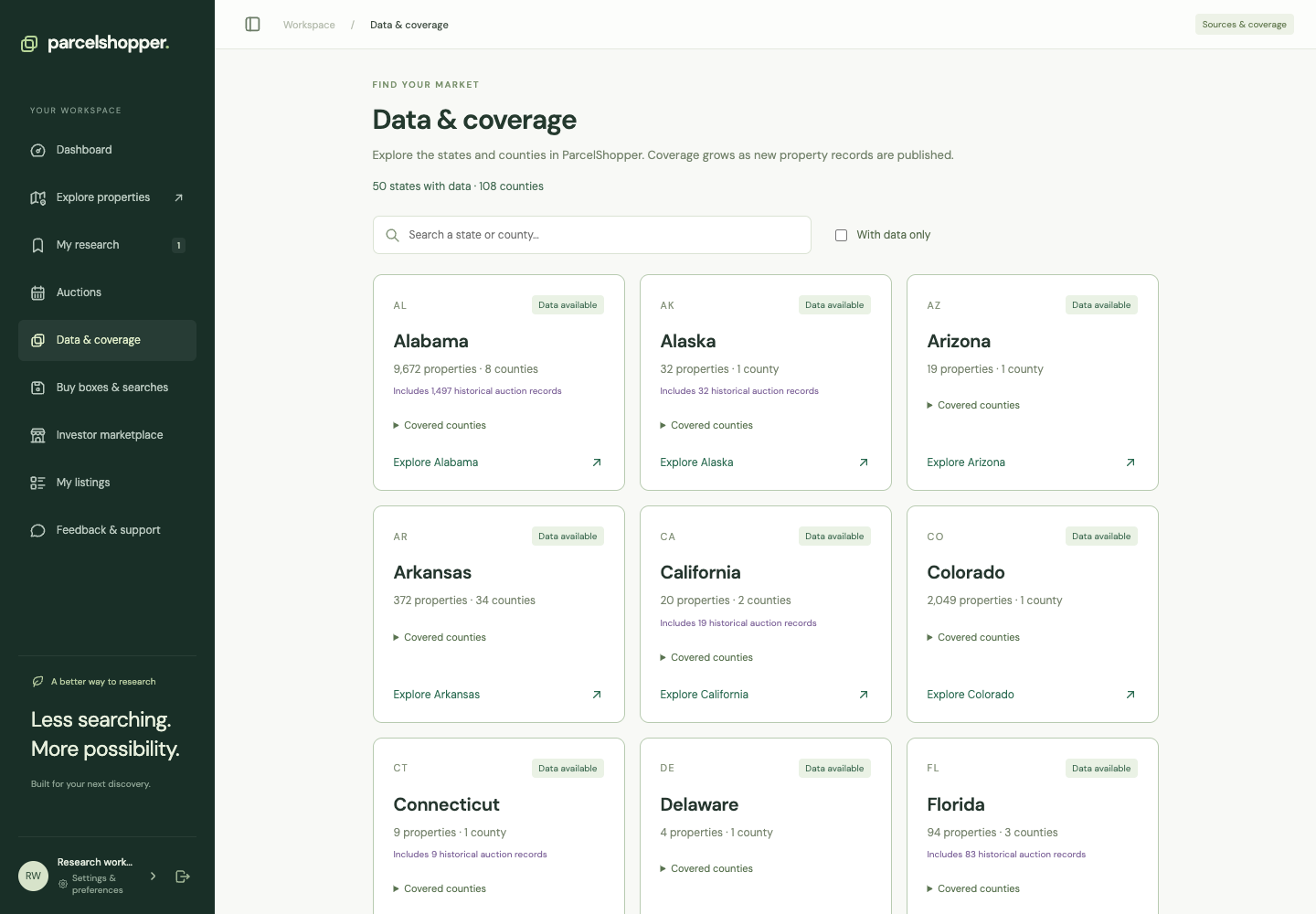
Data & coverage shows which sources ParcelShopper represents. Property reports show the evidence for individual records. Coverage is partial, so check the source's scope before relying on a search result.
Captured November 8, 2026. Check the live workspace for current counts and dates.
Check what the source covers
Open Data & coverage. Read the source descriptions for your jurisdiction and follow the authority's link.
Records in a state do not establish complete state coverage. A county auction list may cover only one sale program. Private marketplace listings are seller supplied and separate from government inventory.
Read the dates
Publication, retrieval and geometry dates describe different events. Downloading a file today does not make an older boundary a new survey or an old amount a current quote.
Keep the source and date for the fact you are using. Ask the responsible authority when current price or availability is unresolved.
Understand missing values
Unknown is not zero. A missing boundary or location does not mean the property has no area or does not exist.
If a result seems missing, relax filters one at a time. Requiring a mapped location, for example, excludes records without one. See search help.
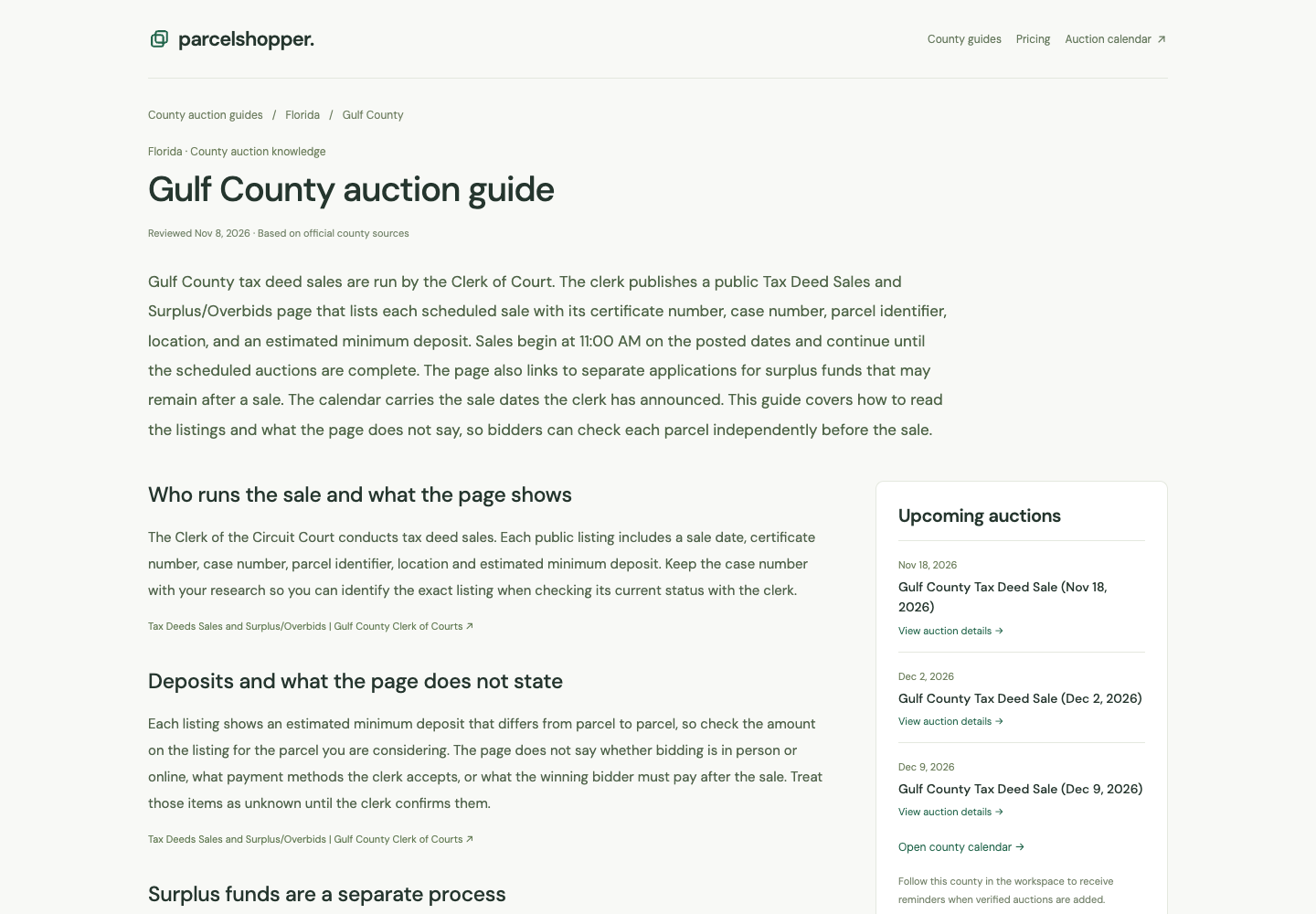
Read the county instructions
County guides explain procedures and cite official sources with review dates. Use the current sale notice for its requirements and property records for identity and extent.
Report discrepancies through Feedback & support. Include the parcel identifier, source link and what differs; leave sensitive personal documents out of the report.



Discussion